Posted on Leave a comment

The Quiet Power of Layered Lighting in Modern Living Rooms

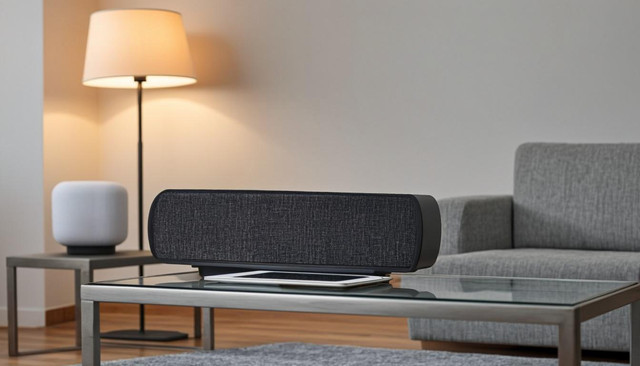
Walk into a beautifully designed living room and you will probably notice the furniture, the art, maybe the rug. What you are unlikely to consciously notice is the lighting, and that is exactly the point. Good lighting in a living room does not announce itself. It shapes how the space feels, supports whatever you are doing, and quietly makes everything else look better. The secret is layering.

Layered lighting is the practice of combining three distinct types of light, ambient, task, and accent, in a single room. Each layer does a specific job, and together they give you the flexibility to change the entire mood of the room with a switch. Once you understand the framework, you can transform almost any living room without buying new furniture or repainting a single wall.

Ambient Light Sets the Foundation

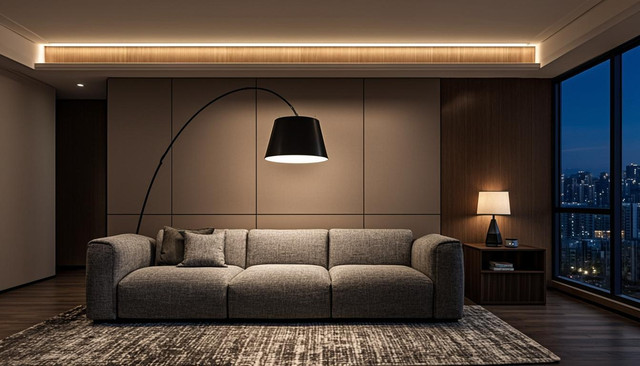
Ambient light is the overall illumination of a room, the base layer that lets you see where you are walking and avoid bumping into furniture. In most living rooms, this comes from a ceiling fixture or recessed lights. The problem is that ambient light alone is flat and unflattering. It eliminates shadows, which is great for safety but terrible for atmosphere.

If your living room currently relies on a single overhead light, the easiest upgrade is to put that light on a dimmer. Being able to dial down the ambient layer immediately creates evening flexibility. The next step is to choose a fixture that throws light in interesting directions rather than blasting straight down. A pendant with an open top, a shaded chandelier, or recessed lights with wall-wash trims all soften the ambient layer in different ways.

Task Light for What You Actually Do

Task lighting is exactly what it sounds like: focused light for specific activities. In a living room, that usually means a floor lamp next to the reading chair, a table lamp on the side table where you do puzzles or scroll on a tablet, or a swing-arm lamp above the couch for late-night reading. The goal is to have light where your hands and eyes are working, without lighting up the whole room.

Position task lights to the side of where you sit rather than directly overhead. That eliminates shadows on your book or screen and reduces glare. If you have a favorite reading spot, that spot should have its own dedicated light source. Treat task lighting as personal and specific rather than as part of the room’s overall illumination.

Accent Light Adds Depth and Drama

Accent lighting is the layer most people skip, and it is the one that makes a room feel finished. This is the light that highlights a piece of art, washes a textured wall, or uplights a plant. Picture lights, track lights aimed at a bookshelf, small uplights tucked behind a sofa, and even candles all count as accent light. The point is to create visual interest by selectively illuminating some things and leaving others in shadow.

You do not need many accent lights to make a difference. Two or three well-placed sources, a picture light over a framed print, a small uplight behind a fiddle leaf fig, and a warm table lamp on a console, will completely change how the room reads in the evening. Layer that on top of dimmed ambient light and a focused task light, and you have a living room that feels intentional at any hour.
Posted on Leave a comment

How to Build a Cozy Reading Nook Without Breaking the Bank

There is something deeply restorative about having a dedicated spot in your home that exists only for reading. Not a desk, not the couch where you also watch TV and eat dinner, but a proper nook that signals to your brain it is time to slow down. The good news is that you do not need a bay window, an interior designer, or a serious budget to create one. You need a corner, a comfortable seat, and the right light.

The best reading nooks feel like a small retreat rather than a styled photo opportunity. That comes less from spending money and more from making deliberate choices about location, seating, and lighting. Here is how to build one that you will actually use.

Pick the Right Corner

The location of your reading nook matters more than anything else. You want somewhere naturally quiet, away from the main traffic flow of your home, with access to natural light during the day. A bedroom corner, the end of a hallway, or the space under a window all work well. Avoid high-traffic spots like the corner of the living room near the kitchen, where you will be constantly interrupted.

If you do not have an obvious corner, you can create one with a bookshelf placed perpendicular to a wall. That gives you a sense of enclosure without building anything permanent. The psychological effect of having a defined reading space, even a small one, is surprisingly powerful.

Comfortable Seating Is Non-Negotiable

This is the one place to spend money if you can. A reading nook you cannot sit in for more than twenty minutes is not really a reading nook. An armchair with good lumbar support is the classic choice, but a chaise lounge, a wide floor cushion, or even a generously sized window seat cushion all work. The key is that you can settle in for an hour without shifting constantly.

If you are on a tight budget, consider second-hand armchairs. A solid wood frame and decent foam can be reupholstered or refreshed with a washable cover for a fraction of the cost of a new chair. Add a small side table or stool at the right height to hold a cup of tea and your current book, and you have the functional core of the nook sorted.

Layer Light for Different Times of Day

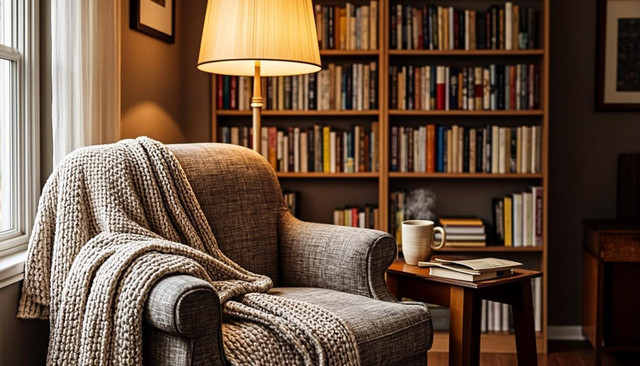
Lighting is what takes a reading nook from functional to genuinely cozy. Aim for at least two sources: a soft ambient light for the overall space, and a dedicated reading light aimed at the page. A warm-toned floor lamp behind or beside the chair is ideal, with a bulb around 2700K to 3000K for that amber, relaxing quality. If you read at night, add a small clip-on light or a side lamp with a directional shade so you can illuminate the book without lighting up the whole room.

Finish with textiles: a soft throw blanket over the arm of the chair, a cushion or two for back support, and a small rug to anchor the space visually. None of these need to be expensive, but together they transform a chair in a corner into a proper nook. Add a stack of books on the side table and you have a spot you will gravitate toward every evening.

Posted on Leave a comment

Small Apartment Hacks: Multi-functional Furniture That Saves Space

Living in a small apartment is a masterclass in editing. Every piece of furniture has to earn its place, and the best way to make a tight space feel generous is to choose items that do more than one job. Multi-functional furniture is not a new idea, but the category has evolved well beyond the clunky sofa beds and folding tables of a decade ago. Today’s designs are smarter, better looking, and genuinely pleasant to live with every day.

The goal is not to cram as much function as possible into a single piece. It is to remove the friction between activities so a single room can flow from workspace to dining area to guest bedroom without feeling like a Transformer mid-morph. Here are the pieces worth investing in and how to think about them.

The Sofa Bed Has Grown Up

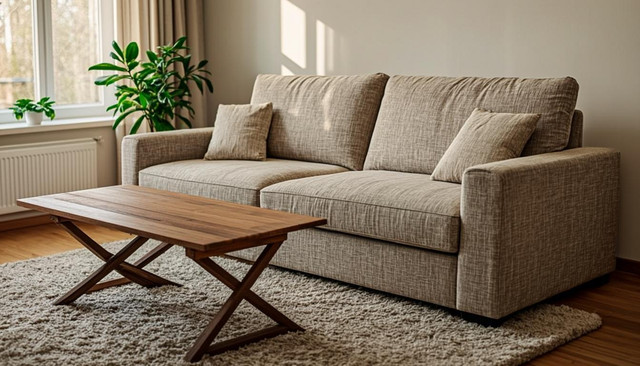
Sofa beds used to be a compromise in both directions: uncomfortable to sit on and worse to sleep on. The current generation is a different story. Look for designs with pocket-sprung seat cushions that convert into a real mattress, ideally with storage underneath for the bedding. Modern mechanisms like click-clack or pull-out styles are smooth enough to operate solo, and the best models look indistinguishable from a regular sofa when not in use.

Pay attention to the mattress thickness. Anything under 10 centimeters will feel like a camping mat. Memory foam or pocket spring options at 12 centimeters and above are genuinely comfortable for a week-long guest stay. If you host frequently, treat the sofa bed as a real bed when shopping and you will not regret it.

Drop-Leaf and Extending Tables

A dining table that seats two for everyday meals but extends to seat six for dinner parties is one of the highest-leverage purchases you can make in a small apartment. Wall-mounted drop-leaf tables are perfect for kitchens where floor space is at a premium, and they can double as a desk during the day. Extending dining tables with hidden leaves offer a more traditional look while still collapsing to a compact footprint when not needed.

The key is to measure your space twice before buying. A table that extends to seat six needs to leave enough room for chairs to pull out and for people to walk behind them. If you cannot fit a full extending table, consider a nesting set of two or three smaller tables that can be distributed around the room when needed and stacked together when not.

Storage That Doubles as Seating

Ottomans and benches with lift-up lids are the unsung heroes of small-space living. They hide throw blankets, out-of-season clothing, board games, and all the miscellaneous stuff that tends to accumulate on surfaces. In the living room, a storage ottoman doubles as a coffee table (with a tray on top) and extra seating for guests. In the entryway, a storage bench keeps shoes out of sight and gives you a place to sit while putting them on.

Look for pieces with soft-close hinges and a lid that stays open on its own, both of which make daily use much more pleasant. The best multi-functional furniture does not announce itself as clever. It just quietly solves problems you forgot you had, and that is exactly what a small apartment needs.

Posted on Leave a comment

How to Choose a Laptop That Won’t Slow You Down

Buying a laptop in 2026 is simultaneously easier and harder than ever. Easier because almost any mid-range machine will handle everyday tasks without breaking a sweat. Harder because the marketing around AI features, neural processing units, and refresh-rate arms races has made it tough to separate what actually matters from what looks good on a spec sheet. The goal of this guide is simple: help you pick a laptop that will still feel fast three years from now.

The trick is to think about how you actually use a computer, not how the marketing materials imagine you do. Most people do not need a workstation. They need something with enough headroom that opening twenty browser tabs alongside a video call does not turn into a slideshow. Here is how to figure out where you fall on the spectrum and what to prioritize.

Processor: Aim One Tier Above Minimum

Modern laptop processors from both Apple and the major Windows chipmakers are genuinely excellent, and the gap between mid-range and flagship is smaller than it used to be. For productivity work (browsers, office apps, video calls, light photo editing), a current-generation mid-tier chip is more than enough. The mistake people make is buying the absolute cheapest option, which often uses an older or lower-binned chip that ages badly.

A practical rule: spend enough to get a processor that is one or two tiers above the entry-level model. That gives you headroom for software bloat, OS updates, and the inevitable moment you decide to try video editing on a whim. Look for chips with at least 8 performance cores if you can, and pay attention to sustained performance rather than just burst benchmarks.

Memory Is the Cheapest Form of Future-Proofing

If there is one spec where it is worth spending a little extra, it is RAM. 8GB is the absolute floor in 2026, and even that will feel tight on Windows within a year or two. 16GB is the sweet spot for most users, giving you room to keep dozens of tabs open, run a few productivity apps simultaneously, and not worry about background processes stealing memory from your active work.

If you plan to keep the laptop for four or more years, consider 32GB. Memory is not something you can easily upgrade later on most modern laptops, so buying more upfront is almost always cheaper than replacing the machine early. The same logic applies to storage: 512GB is the realistic minimum, but 1TB gives you breathing room for photos, video, and applications that seem to grow larger every year.

Screen and Battery: The Daily Experience

A laptop can have the fastest processor in the world and still feel miserable if the screen is dim or the battery dies by lunch. Look for at least 400 nits of brightness if you ever work near a window or outside, and prioritize color accuracy if you do any creative work. A 16:10 aspect ratio is more comfortable for documents and browsing than the older 16:9, and high refresh rates (90Hz or above) make everything from scrolling to cursor movement feel smoother.

Battery life claims on spec sheets are best-case scenarios, so read real-world reviews. A laptop that delivers eight hours of mixed use is genuinely good in 2026. Anything less than six is a dealbreaker for a machine you will carry around. With those priorities in mind, processor, memory, screen, and battery, you can confidently ignore most of the rest of the spec sheet and pick a laptop that will keep up with you for years.

Posted on Leave a comment

Smart Home Hubs Worth the Investment in 2026

If you have been slowly accumulating smart bulbs, plugs, cameras, and speakers over the past few years, you have probably hit the same wall everyone eventually hits: too many apps, too many ecosystems, and a growing suspicion that none of your devices actually talk to each other. That is exactly the problem a smart home hub is designed to solve. In 2026, the hub landscape has matured to the point where one well-chosen device can genuinely unify your home rather than just adding another icon to your phone.

The case for a hub comes down to three things: local control so your lights still work when the internet drops, automation routines that span multiple brands, and a single pane of glass for monitoring everything. Whether you are just starting your smart home journey or trying to consolidate an existing mess, here is what to look for and which direction the market is heading.

Matter and Thread Have Changed the Game

The biggest shift in the last two years has been the broad adoption of Matter, the universal smart home standard backed by Apple, Google, Amazon, and Samsung. Matter means a device certified by one brand works with all of them, no bridge required. Thread is the low-power mesh networking protocol that ships alongside Matter, giving battery-powered sensors and smart locks a more reliable connection than older Wi-Fi or Bluetooth setups.

Practically, this means a hub with a Thread border router built in can manage a growing ecosystem of door sensors, motion detectors, and smart bulbs without overwhelming your Wi-Fi. If you are buying a hub in 2026, Matter support and a Thread radio should be on your must-have list. Anything else is a stopgap.

Voice Assistant or Local Hub?

Smart speakers like the latest Echo and Nest Hub are the easiest entry point because they bundle voice control with a Matter controller. They are affordable, easy to set up, and work well if your automation needs are simple. The trade-off is that they rely heavily on the cloud, so an internet outage can take your routines offline.

Local-first hubs like Home Assistant running on a small server or a dedicated device like Homey or Hubitat take more effort to set up but offer rock-solid reliability, advanced automations, and full control over your data. If you enjoy tinkering and want your smart home to keep working through any connectivity hiccup, this is the path. Many enthusiasts end up running both: a voice assistant for casual commands and a local hub for the heavy lifting.

What to Actually Buy in 2026

For most people, a mid-tier smart display from Amazon or Google is the right starting point. It handles voice commands, controls Matter devices out of the box, and doubles as a kitchen companion or digital photo frame. Add a Thread border router (often built into newer Echo and Nest devices) and you have a future-proof foundation that can grow with you.

If you have outgrown the basics, look at Homey Pro for a polished all-in-one local hub, or build your own with Home Assistant on a mini PC. The investment of time pays off quickly when you start automating scenes that span lighting, music, climate, and security across brands that would otherwise never coordinate. Whichever path you choose, the goal is the same: fewer apps, fewer frustrations, and a home that quietly works the way you want it to.

Posted on Leave a comment

Wireless Earbuds That Actually Stay in During Workouts

There is a special kind of frustration reserved for the moment your wireless earbud pops out mid-burpee, skitters across the gym floor, and disappears under a treadmill. We have all been there, and most of us have learned the hard way that not every pair of wireless earbuds is built for movement. The good news is that the latest generation of sport-focused buds has gotten genuinely good at staying put, sounding great, and surviving the sweat that comes with a serious session.

The secret sauce usually comes down to three things: a secure physical fit, some form of active noise cancellation, and an IPX rating that means they can handle humidity. Once you tick those boxes, you can stop thinking about your earbuds and start thinking about your workout. Below we walk through what actually matters when you are shopping for workout earbuds in 2026, and which features are worth paying for versus marketing fluff.

Why Fit Matters More Than Sound Specs

Audiophile frequency response curves are lovely on paper, but none of that matters if your earbuds are sliding around while you run. For workouts, prioritize fit mechanisms first. Over-ear hooks are the most secure for high-impact activities like HIIT and trail running, while wing tips (those little rubber loops that tuck into the cartilage of your ear) are a great middle ground for the gym and studio classes. True in-ear designs with multiple silicone tip sizes work well for cycling and steady-state cardio, but they can come loose during plyometrics.

Try before you buy when possible. Many retailers now offer extended return windows specifically for earbuds, recognizing that fit is deeply personal. If you are buying online, look for brands that ship with at least three tip sizes and a couple of wing options in the box. The right combination should let you shake your head vigorously without feeling any movement.

Sweat Resistance Is Non-Negotiable

An IPX4 rating is the bare minimum for workout earbuds, meaning they can handle splashing water from any direction. For hot yoga, outdoor running in the rain, or particularly sweaty lifters, look for IPX5 or IPX7. The difference matters because sweat is corrosive over time, and a pair of buds that dies after six months of regular training is not a bargain at any price.

Pay attention to the warranty terms too. Some brands explicitly exclude sweat damage from their coverage, which is a red flag for a product marketed at athletes. The best sport earbuds back up their IP rating with a warranty that acknowledges how you will actually use them.

Smart Features That Earn Their Keep

Active noise cancellation (ANC) is the headline feature on most premium earbuds now, and it is genuinely transformative for gym sessions where background music and chatter can derail your focus. Look for a transparency mode too, since you will want to hear traffic on outdoor runs and instructions in studio classes. Touch controls that work through sweaty fingers are another underrated feature, as is multipoint pairing so you can switch between your phone and laptop without re-pairing.

Battery life has stabilized around six to eight hours per charge for the buds themselves, with the case providing two to three additional full charges. That is plenty for most training schedules. Fast charging, which gives you an hour of playback from a five-minute charge, is the feature you will appreciate most when you forget to plug in after a session.

At the end of the day, the best workout earbuds are the ones you forget you are wearing. Pick a pair that fits your training style, check the sweat rating, and do not overpay for features you will not use. Your future self, mid-workout, will thank you.